
Linking Learning Outcomes (LOs) to an Existing Assignment Without a Rubric
1. After the BGP domain LOs are imported, go to “Assignments” and select the assignment in which you want to create an assessment rubric.
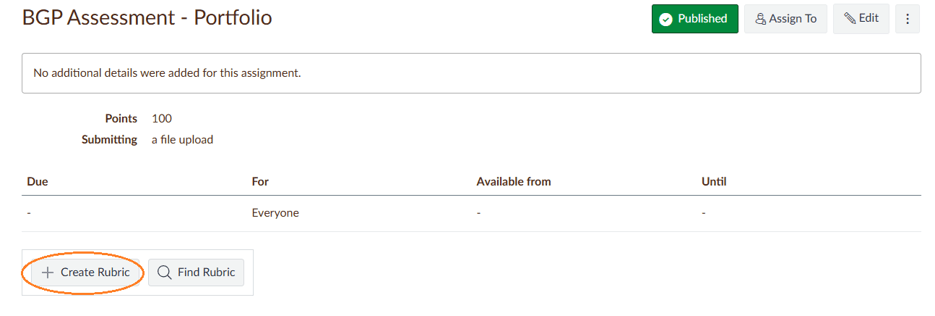
2. Scroll below the assignment details and click on “+Create Rubric.”
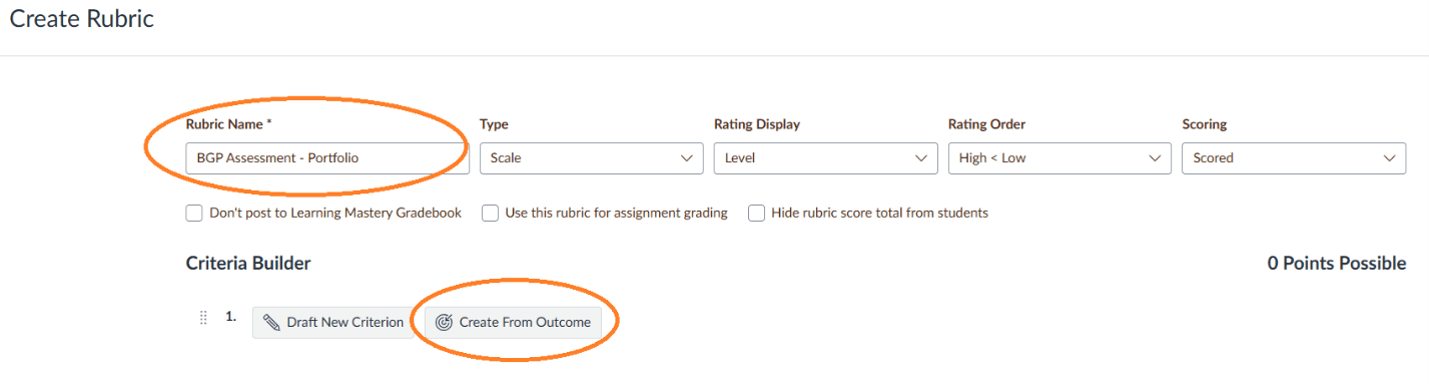
3. Give the rubric a title.
4. Select “Create From Outcome.”
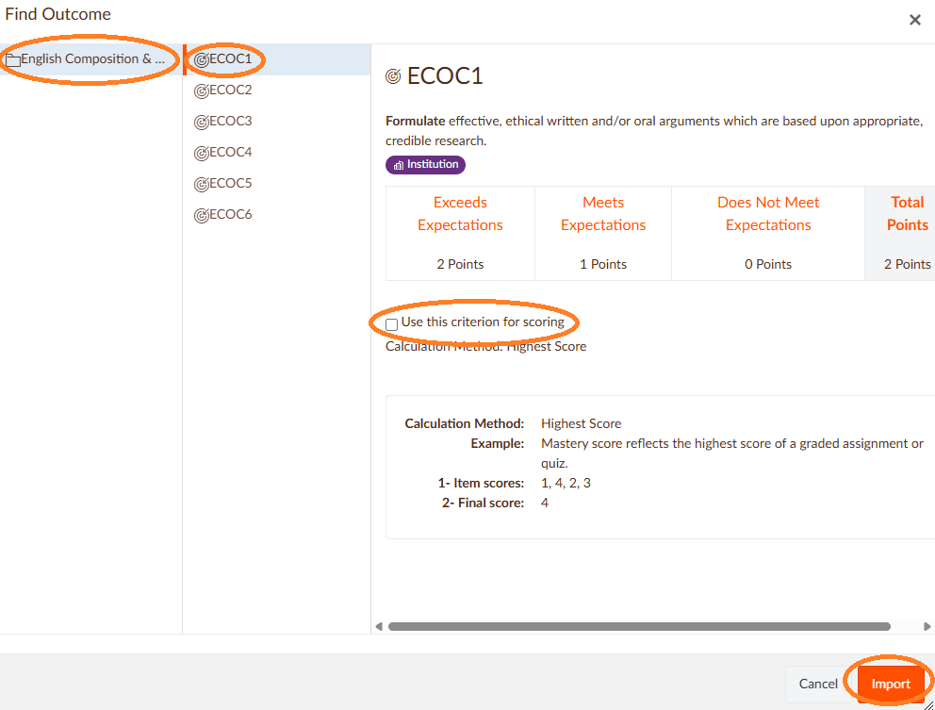
5. Click on the BGP domain LO folder. (In this assignment example, it is English Composition & Oral Communication). The domain LOs will appear.
6. Select the domain LOs you want to include, one at a time.
7. When a domain LO is selected, uncheck “Use this criterion for scoring.” By unchecking this box, the ratings will be used solely for assessment purposes and the points will not be assigned.
8. Click on “Import.”
9. Repeat steps 4 through 8 for all the domain LOs you want to include in the existing grading rubric.
10. Click on the “Create Rubric” button.
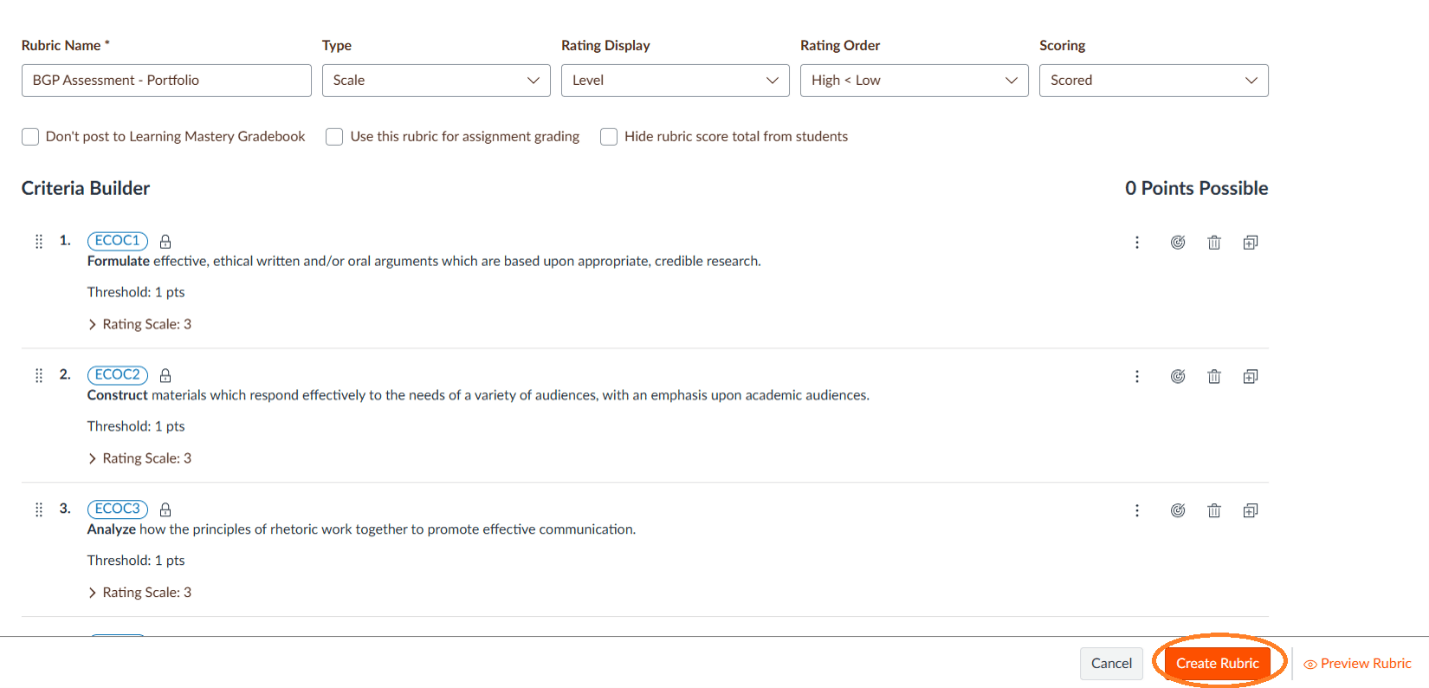
11. You now have an assessment rubric.
*There are no points associated with the BGP domain LOs.
Updated: 08/05/2026 03:17PM