
Guide for Importing BGP Domain Learning Outcomes (LOs)
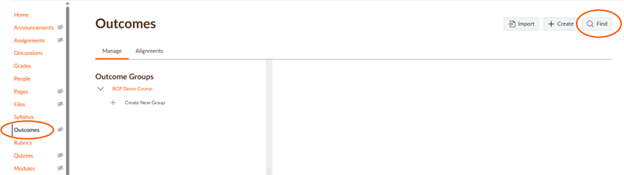
1. Go to your Canvas BGP course shell. Click on “Outcomes” on the left menu.
2. Click on “Find” at the top right.
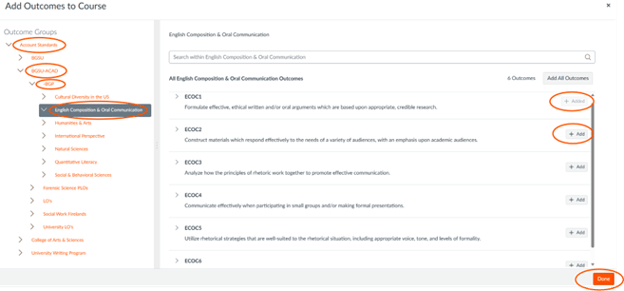
3. A new screen will appear. Click on “Account Standards.”
4. Click on “BGSU-ACAD.”
5. Click on “-BGP.”
6. Select the BGSU domain for your course. This guide uses English Composition & Oral Communication as an example.
7. Select “+Add” for each of the domain LOs you need. Once they have been added they will show “+Added.”
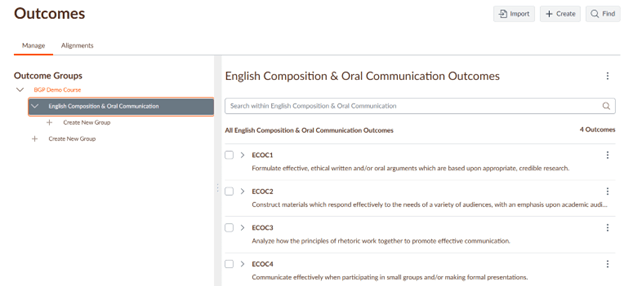
8. Click on the “Done” button. The LOs will show in your Outcome Groups.
Updated: 08/05/2026 02:30PM